Head of Engineering01 / 03
Michael Case
Belfast, UK · MS Computer Science, age 36
“My company needs an easy-to-integrate platform for new features.”
- Strategic
- Technical
- Reliable
- Concise
Apex Fintech Solutions · UX case study
A self-serve trial environment that let prospective clients evaluate Apex’s investment APIs before ever signing a contract, built from research through final UI in ten weeks.
Overview
Apex is a B2B fintech service that powers a “frictionless investing experience” through its APIs. Companies integrate Apex’s tools to run investment features inside their own products, but there was no way for a prospective customer to actually try it first.
I was brought on as the sole design intern to close that gap: a fully functional sandbox environment, designed around three distinct evaluator personas, and shipped as a working MVP within a ten-week timeline.
The problem
Every trial required a sales conversation, which slowed the funnel and filtered out curious, self-directed evaluators before they ever saw the product.
How might we migrate prospective customers into paying clients, and get them excited enough to test our APIs themselves?
Ideal: a non-technical evaluator opens an account on the spot.
| Firm | Self-service onboarding | Single API + auth | SDK + public docs | Developer sandbox |
|---|---|---|---|---|
| Alpaca Finance | Partial | Yes | Yes | Yes |
| Drivewealth | No | Yes | Yes | Yes* |
| Apex Fintech Solutions | No | No | No | No |
The solution
An exclusive, secure environment where prospective clients could explore Apex’s tools on their own terms. Since nothing like this existed at Apex yet, defining the shape of the product was as much a part of the work as designing its screens.
Research
Through stakeholder interviews and competitive research, I built three personas representing the realistic range of people who’d evaluate Apex.
Belfast, UK · MS Computer Science, age 36
“My company needs an easy-to-integrate platform for new features.”
Chicago, IL · MBA, age 38
“I need to understand Apex’s APIs for competitive research.”
New York City, NY · BS Computer Science, age 27
“I need a platform that will take my startup to the next level.”
User flow
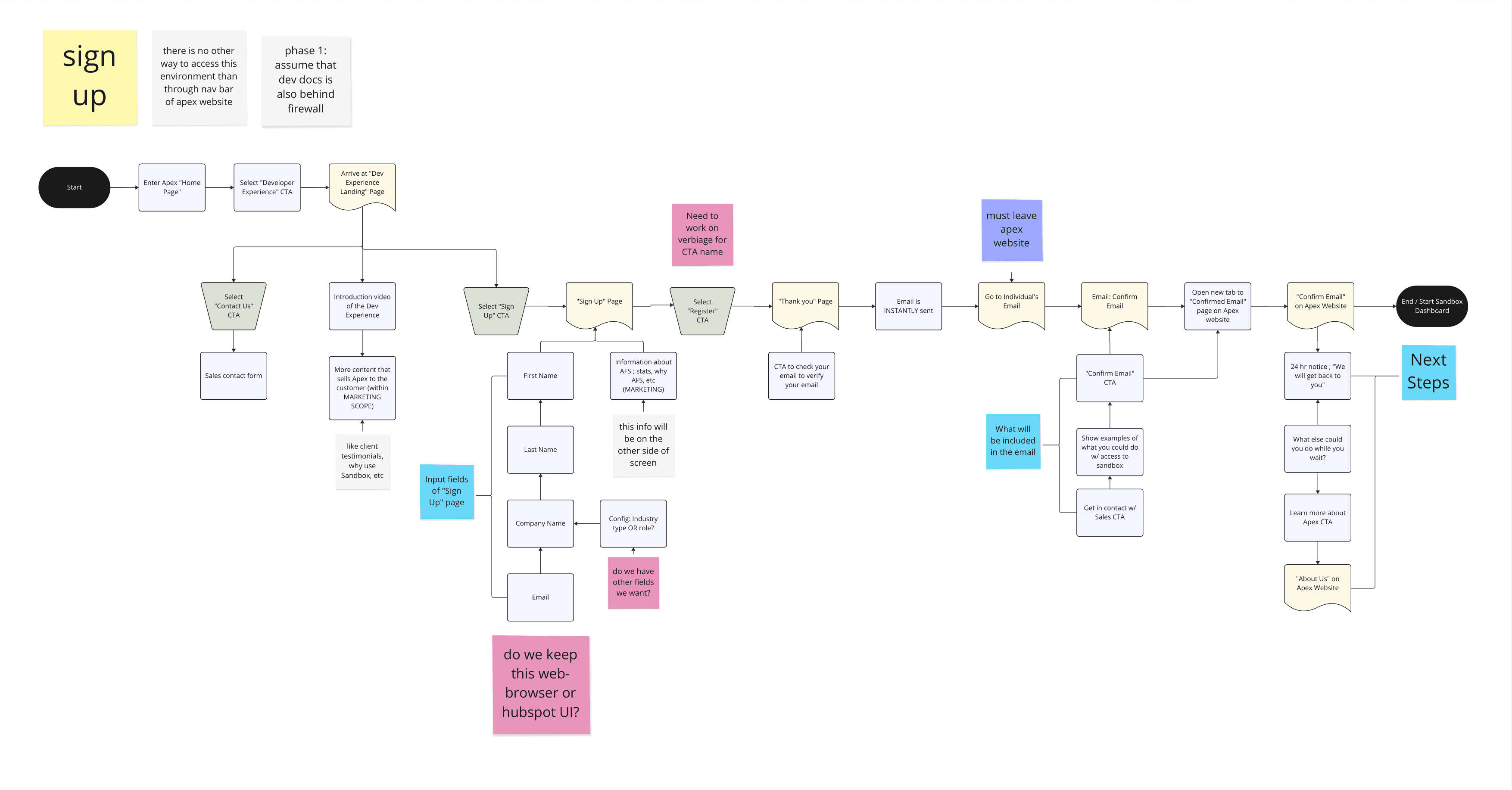
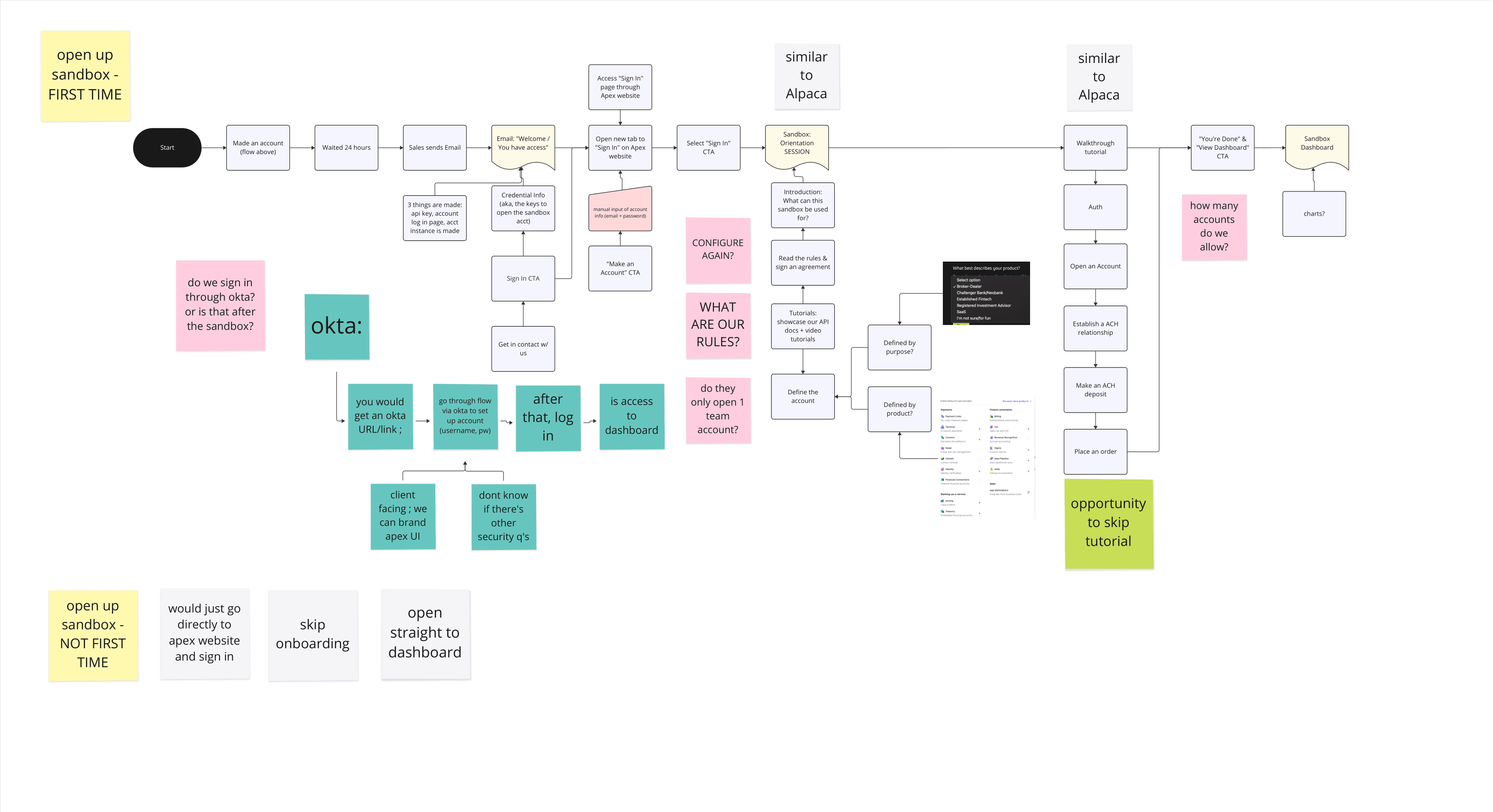
I mapped the end-to-end journey before touching any UI, iterating as requirements like identity verification surfaced from engineering.
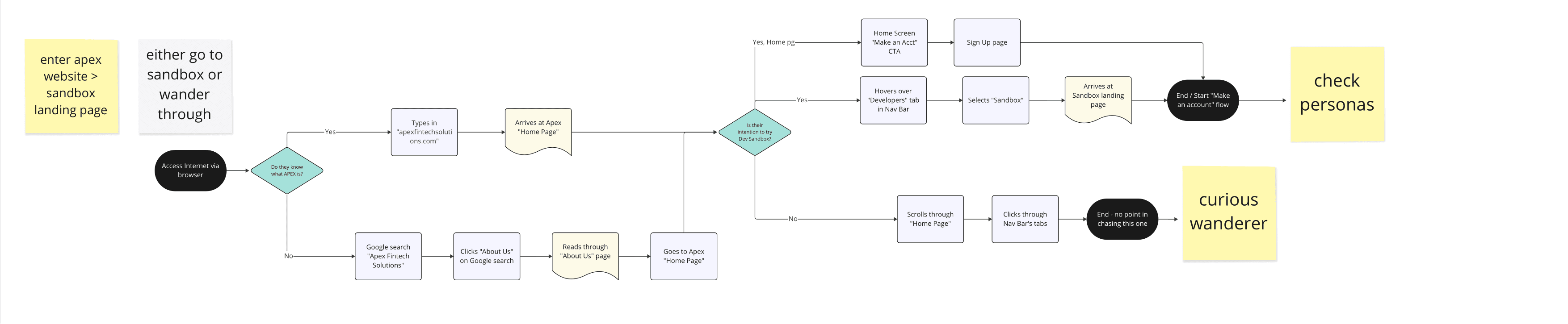
Entering the Apex website: evaluators head to the sandbox, curious wanderers drift off.
First touchpoint for a prospective client. No account required yet.
Create an account, verify through HubSpot, confirm identity with 2FA via Okta.
An isolated environment is provisioned automatically, with no manual setup.
The single screen that had to work for all three personas at once.
Resources, tutorials, and developer documentation for self-directed evaluation.
Live calls against an isolated environment. Real functionality, zero production risk.
Design process
Because there was no design system for this product, building one was part of the deliverable.
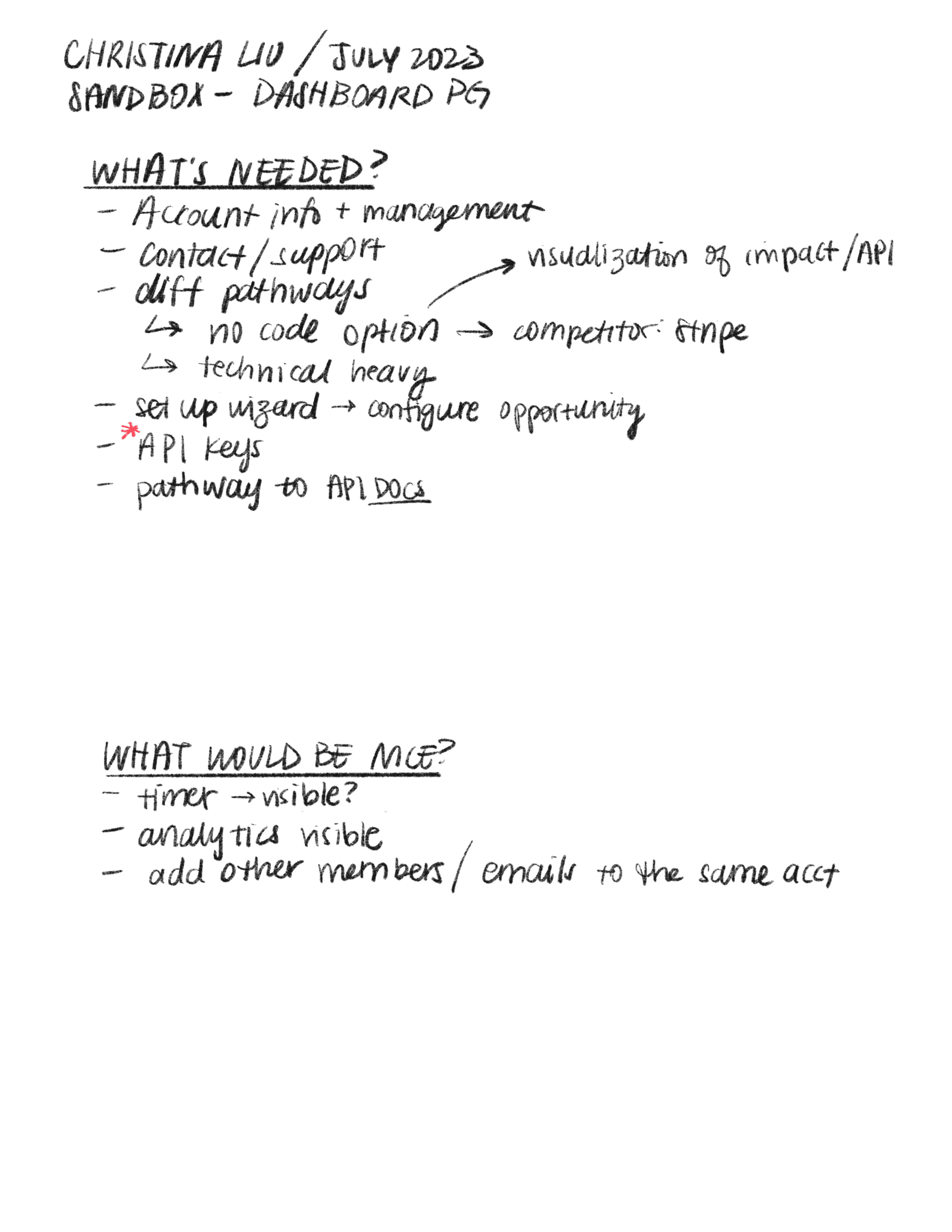
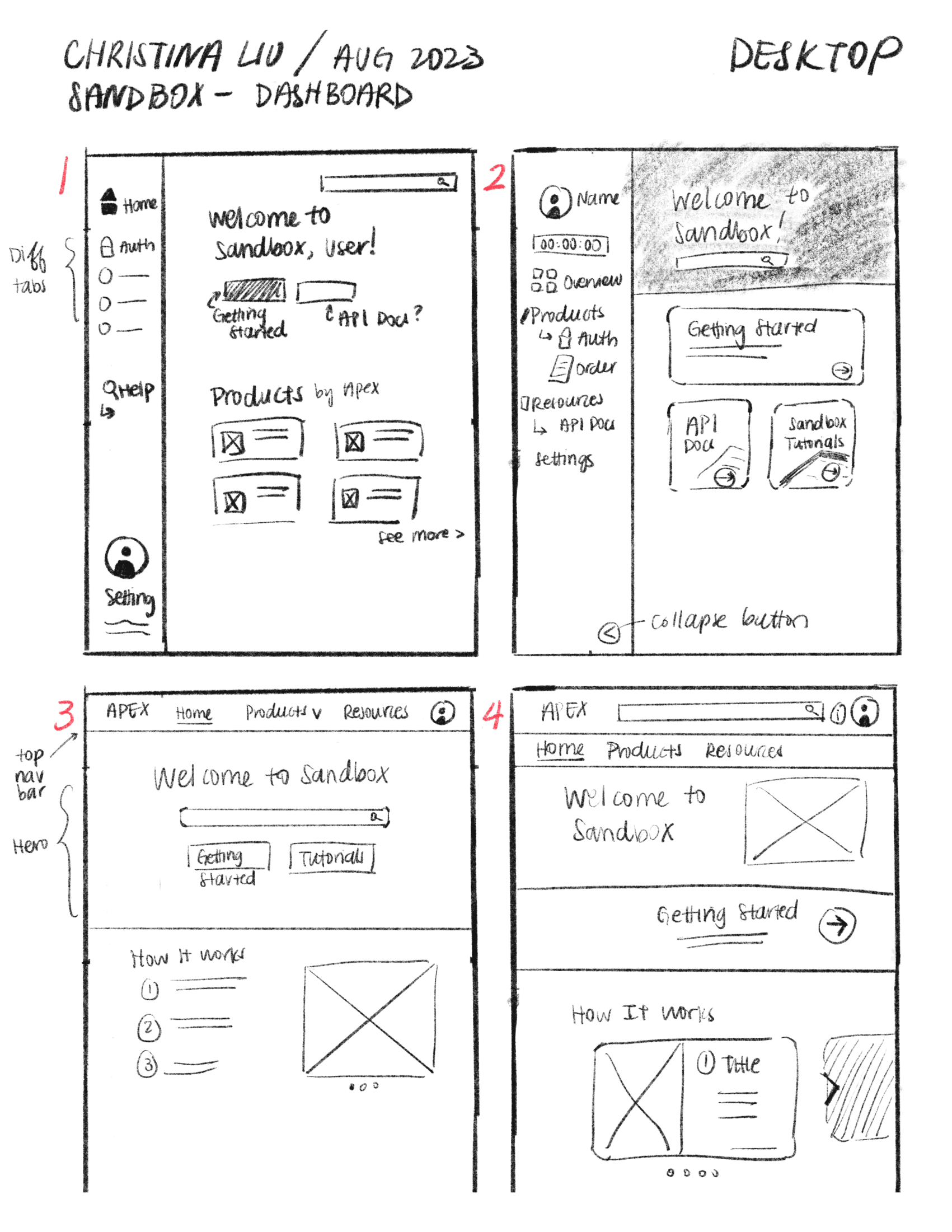
Account setup, dashboard structure, and information hierarchy on paper.
A component system built from scratch that reads as technical without alienating non-engineers.
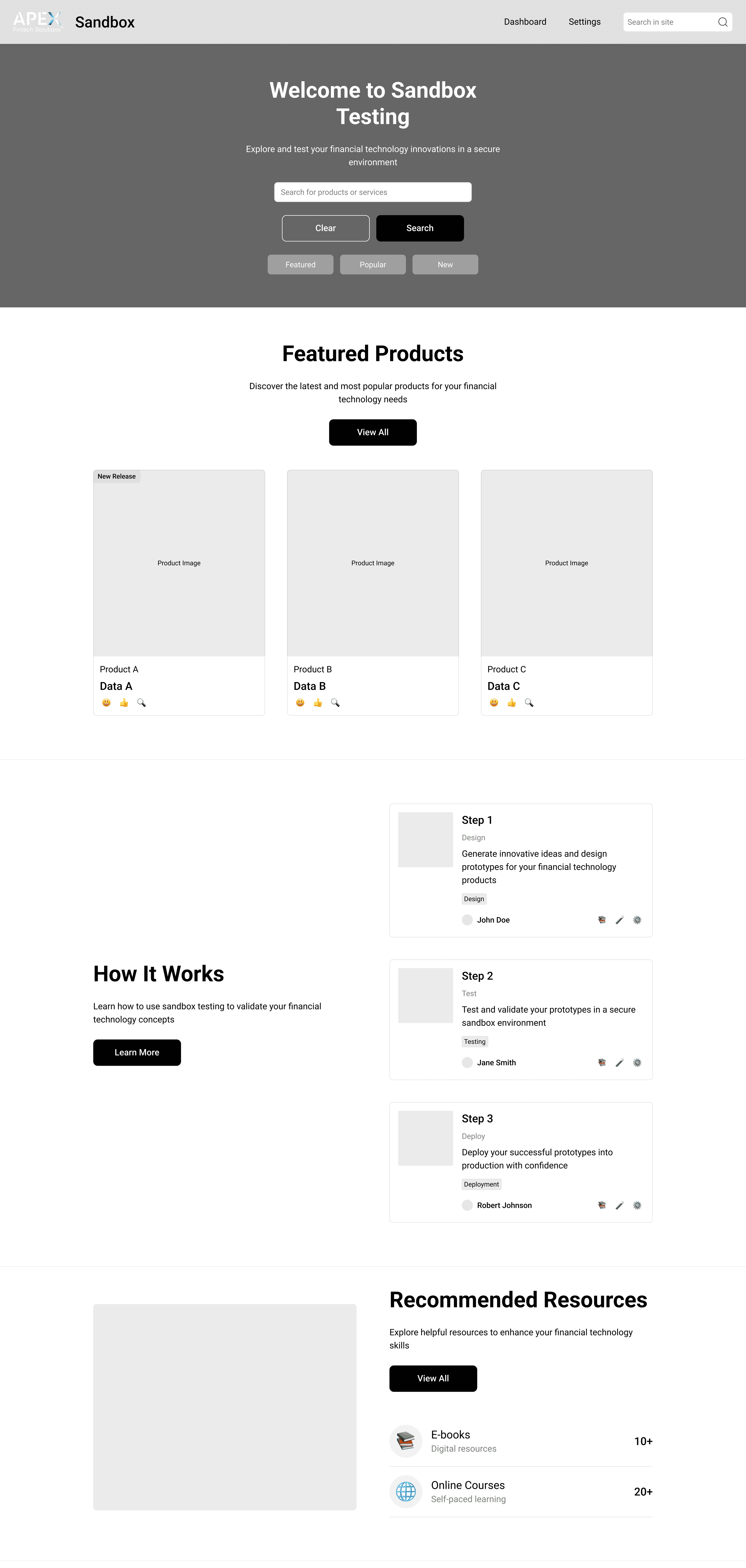
A working prototype of the full Portal experience, from credentials to the first API call.
UI kit
A component system built from scratch that reads as technical without alienating non-engineers. One Apex blue carries everything, stepped down to black for surfaces and out to white for text.
Shades
Tints
Quick Start card, four CTA styles
Try it yourself to see the beauty of our super awesome APIs and fall in love with its functionality!
Try it yourself to see the beauty of our super awesome APIs and fall in love with its functionality!
Try it yourself to see the beauty of our super awesome APIs and fall in love with its functionality!
Try it yourself to see the beauty of our super awesome APIs and fall in love with its functionality!
Final design
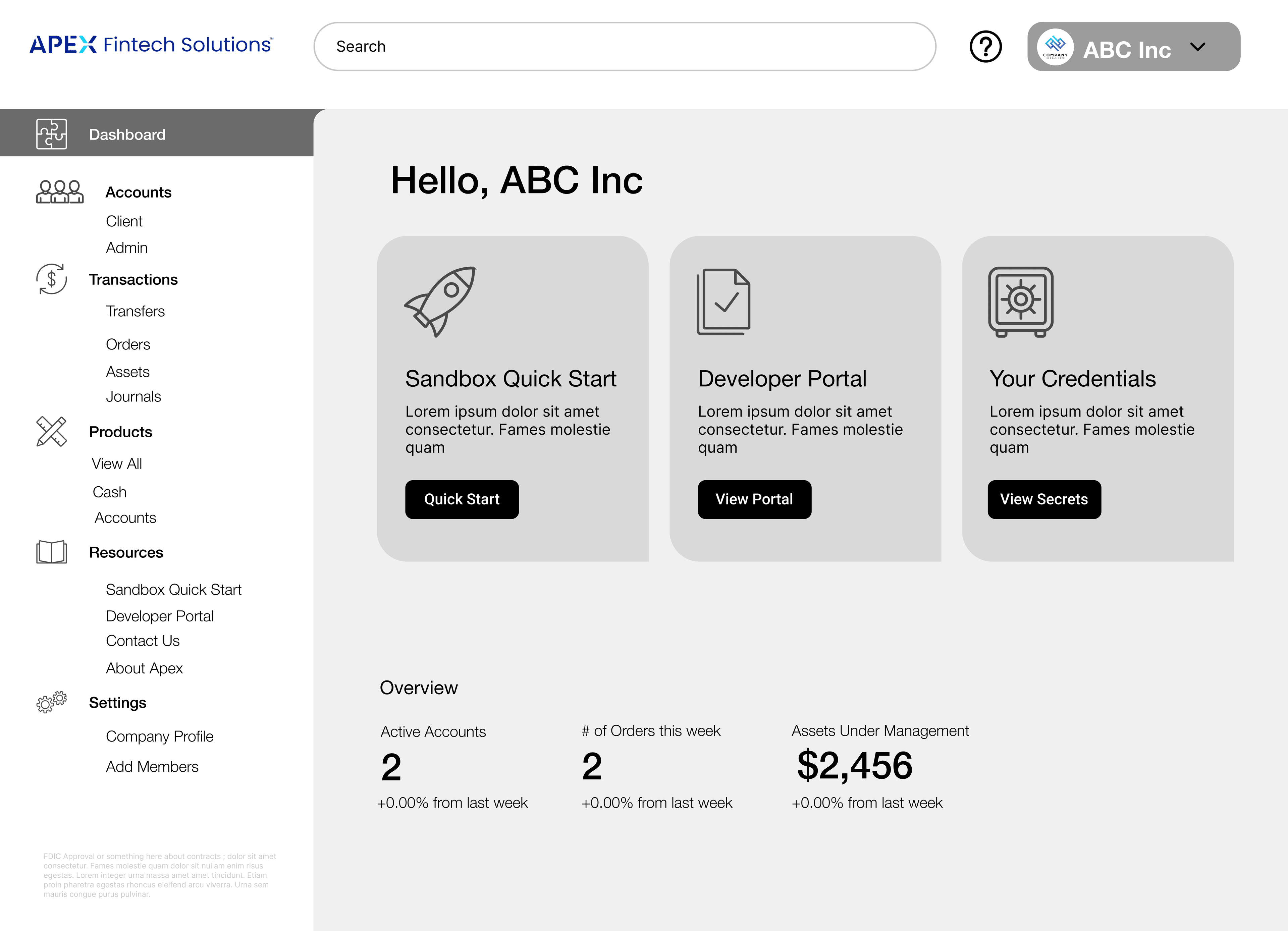
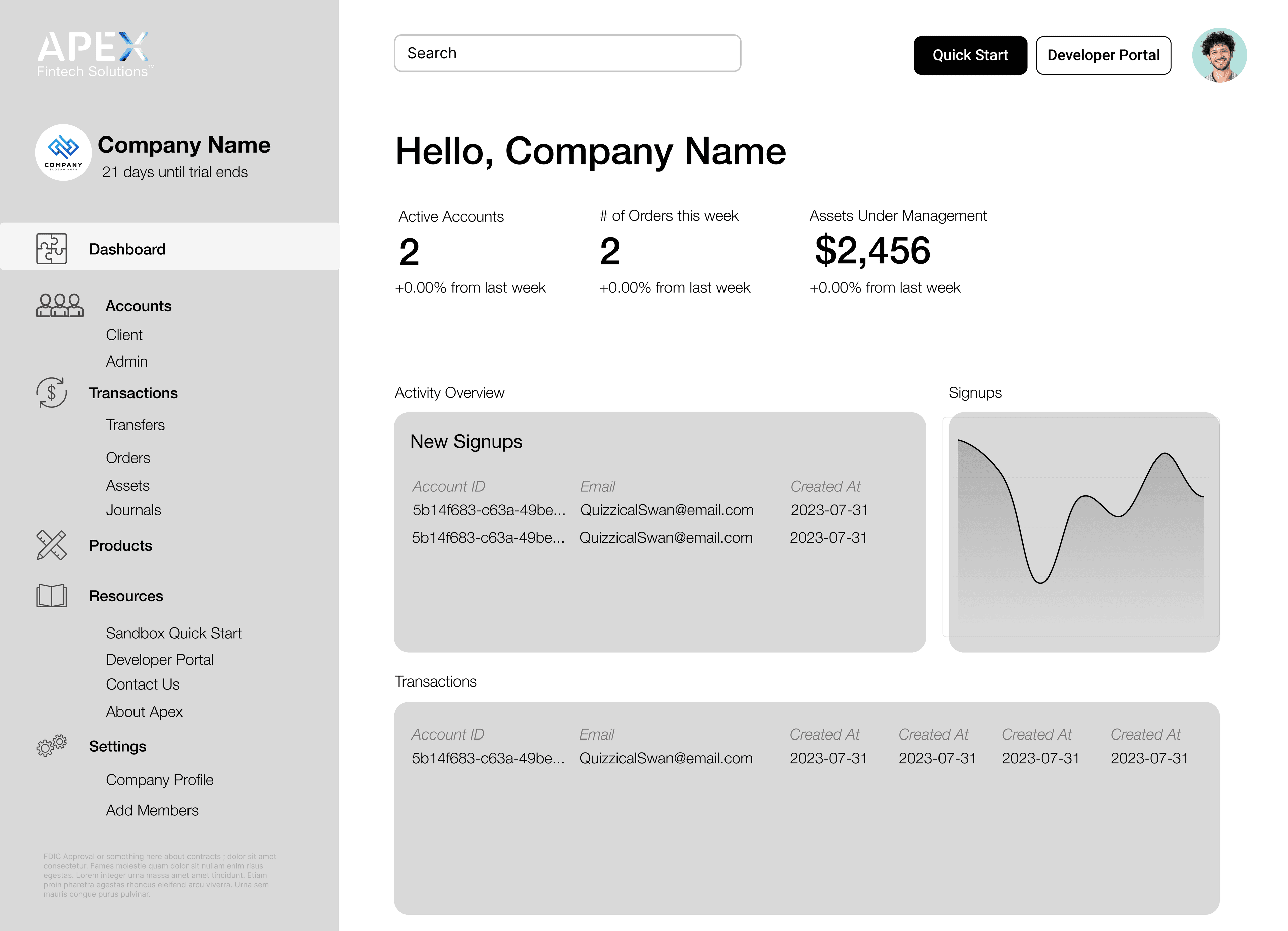
The first screen a client sees after account setup and 2FA. It answers three questions immediately: what do I have access to, how do I start, and what’s happening with my account?
Make your first API call in under five minutes.
Start now →Representative view of the final Portal design.
Reflection